Define
Structure the project with editable sections, requirements, use cases, Gantt charts, bibliography, glossary and data templates.
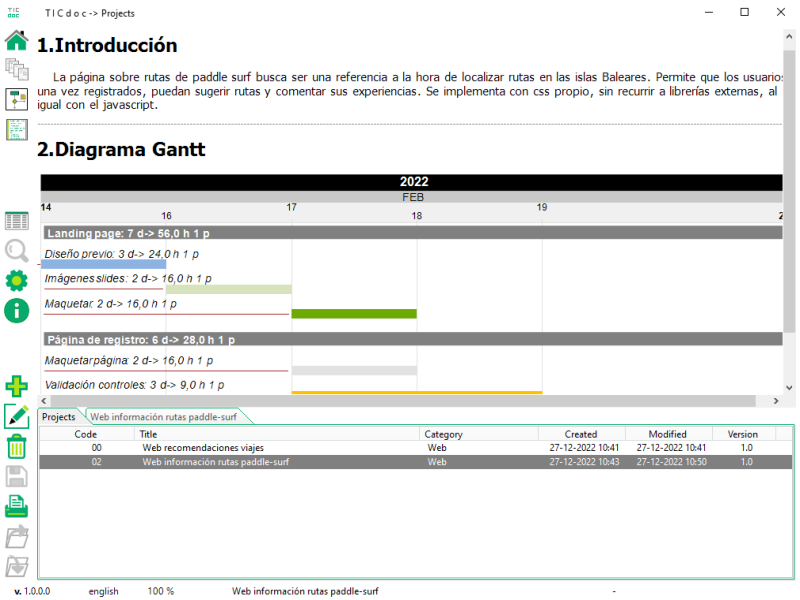
Explore projectsTICdoc brings requirements, use cases, diagrams, code snippets and tasks together in one workspace. Version 1.2 reads your code and drafts from what is actually in it rather than from a generic description; afterwards, the project remains local, yours and fully editable.
Attach your source folders to the project. TICdoc builds a local index of their units, classes and methods and uses it as context to propose an ordered contents list and write each section inside the editor. The AI works from what your program actually declares, not from a generic description.
The result remains fully editable, ready for you to review, rearrange and complete with TICdoc's tools.
Application to record, prioritize and track support incidents...
The solution is organized into three main layers...
Each editor handles part of the work and feeds the final document, reducing duplication and keeping important decisions out of disconnected files.
Structure the project with editable sections, requirements, use cases, Gantt charts, bibliography, glossary and data templates.
Explore projectsDesign diagrams, save tagged snippets and insert them directly where they add context inside the document.
Arrange and enable the sections you need. TICdoc builds contents, image and table indexes for a consistent, print-ready report.
View automatic sectionsTechnical documents evolve with the software. TICdoc keeps reusable elements together and helps you find them again by name, category or tag.
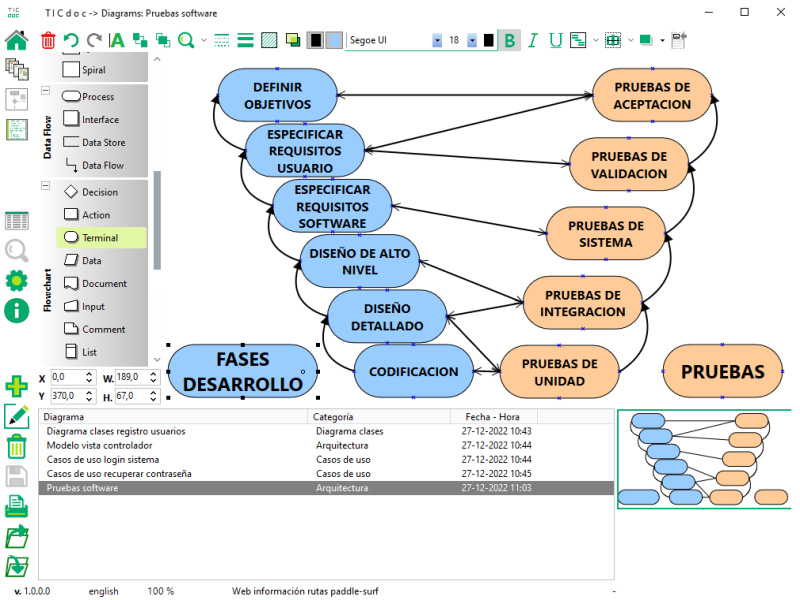
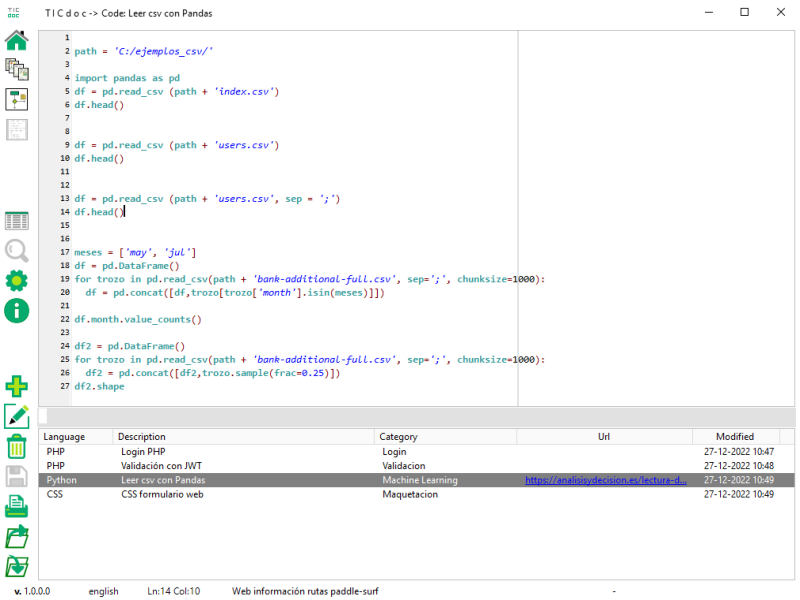
Structure reports, requirements, use cases, planning and bibliography in one document.
Keep decisions, diagrams and code solutions without spreading them across different apps.
Create a maintainable reference to explain a solution's scope, design and components.
Projects, diagrams and snippets are stored in folders and a local database. Context only leaves the computer when you choose an AI provider to generate or modify content, or render a diagram with PlantUML.
Generate the foundation with AI, then review and complete it with requirements, diagrams, code and structured sections.